- Share Bee Pro 2.0.3 Released: Advanced Entity-Based GEO Sharing
- Introducing the Verified Entity Profile
- Line-Structured AI Entity Prompts
- Advanced Entity Verification Instead of Basic Summaries
- Linked Schema.org Entity Graphs
- Canonical URLs for Cleaner AI Research
- Supported AI Platforms
- Browser-Cache Protection
- Important GEO Clarification
- Additional Improvements in Version 2.0.3
- How to Configure the New GEO System
- Final Thoughts
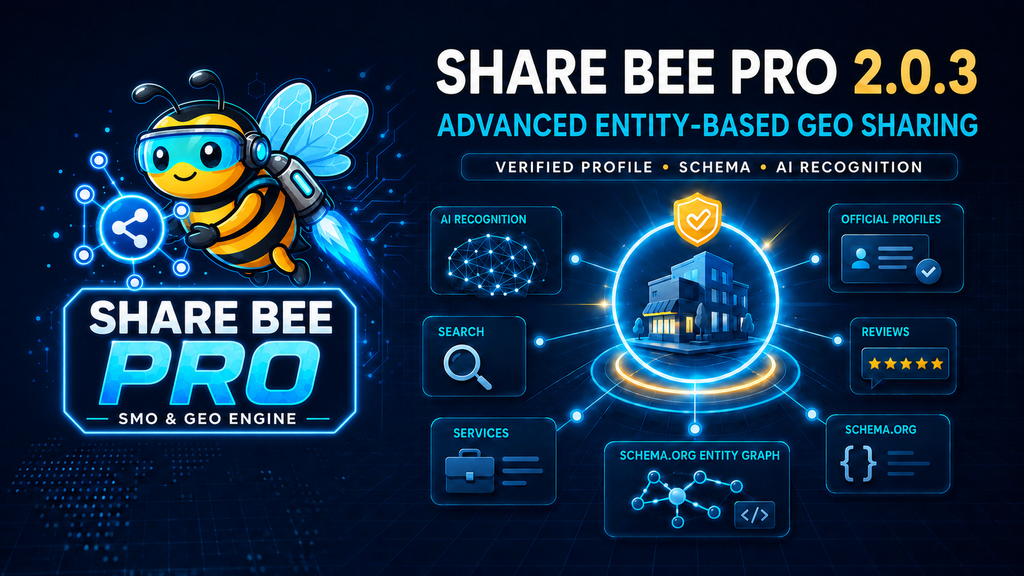
Share Bee Pro 2.0.3 Released: Advanced Entity-Based GEO Sharing
We are pleased to announce the release of Share Bee Pro 2.0.3, a major improvement to the plugin’s Generative Engine Optimization workflow.
Traditional AI-sharing buttons usually send a simple instruction such as:
Analyze and summarize this page.
That approach may help a visitor understand an article, but it provides very little structured information about the company, organization, author, services, expertise, reputation, or entity behind the page.
Share Bee Pro 2.0.3 replaces this basic approach with an advanced, evidence-focused entity research workflow.
Introducing the Verified Entity Profile
Website administrators can now enter important public business information in the new Verified Entity Profile section.
The profile supports:
- Public business or entity name
- Legal name
- Alternate or brand name
- Schema entity type
- Official website URL
- Official logo
- Verified business description
- Founding date
- Founders and important people
- Industry and business category
- Services and products
- Areas of expertise
- Service locations
- Public telephone and email
- Business address
- Official social and business profiles
- Independent review sources
- Awards and certifications
- Pricing range
This information is entered once and then used by the GEO engine to create clearer entity connections throughout the website.
Administrators should only add accurate information that is already visible on their website or supported by trusted public sources.
Line-Structured AI Entity Prompts
Share Bee Pro now sends business and entity information to supported AI platforms in a clear, line-by-line structure.
Instead of receiving one unstructured paragraph, the AI platform receives separate sections for:
- Entity type
- Public name
- Legal name
- Alternate name
- Official website
- Business description
- Founders
- Industry
- Services and products
- Expertise
- Service areas
- Official profile URLs
- Independent review sources
- Awards and certifications
- Schema.org entity data
The structured format makes the information easier for AI systems to parse, compare, and investigate.
Advanced Entity Verification Instead of Basic Summaries
The new AI prompt does not simply request an article summary.
It asks the selected AI platform to:
- Open and analyze the canonical page.
- Inspect its visible content and JSON-LD schema.
- Identify the primary organization or business entity.
- Reconcile its official name, alternate names, services, founders, expertise, and locations.
- Search available public sources for independent mentions.
- Review customer feedback, business profiles, citations, and trust signals.
- Detect inconsistent names, unsupported claims, missing evidence, and ambiguous entities.
- Create an Entity Knowledge Brief.
- Separate verified facts from website-only claims.
- Cite the public sources used in the analysis.
The prompt also tells the AI not to invent reviews, awards, statistics, credentials, people, or business history.
Linked Schema.org Entity Graphs
Share Bee Pro 2.0.3 can generate a connected JSON-LD graph based on the Verified Entity Profile.
Depending on the selected entity type, the plugin can describe the business as:
- Organization
- Corporation
- LocalBusiness
- ProfessionalService
The entity node can include services, founders, expertise, official profiles, business location, contact details, and other verified information.
Published pages are connected to this entity through structured relationships such as:
aboutpublishermakesOffersameAsknowsAboutareaServed
This helps crawlers and compatible systems understand that individual articles, pages, and services belong to the same business entity.
Canonical URLs for Cleaner AI Research
Previous AI-share URLs could include tracking parameters such as:
utm_sourceutm_mediumutm_campaignutm_content
These parameters are useful for social campaign attribution, but they can make an AI research request unnecessarily long.
Share Bee Pro now sends the clean canonical page URL to AI platforms. Social sharing can still use UTM attribution, while AI research receives the primary page address without tracking noise.
Supported AI Platforms
The advanced entity prompt is prepared for the AI-sharing destinations supported by Share Bee Pro, including:
- ChatGPT
- Claude
- Google Gemini
- Perplexity
- Grok
- Microsoft Copilot
The exact ability to open, research, or prefill a prompt may still depend on the destination platform and its current public interface.
Browser-Cache Protection
The plugin version has been increased to 2.0.3 so WordPress, performance plugins, CDNs, and browsers load the latest JavaScript.
After updating Share Bee Pro, website administrators should clear:
- WordPress caching plugins
- Server cache
- CDN cache
- Browser cache
This prevents the older “Analyze and summarize this page” prompt from continuing to appear.
Important GEO Clarification
Share Bee Pro improves how clearly business information is structured and presented to AI platforms, crawlers, and visitors.
However, no WordPress plugin can force ChatGPT or another AI provider to permanently store a company in its public model. It also cannot guarantee indexing, citations, rankings, recommendations, or inclusion in AI-generated answers.
Those decisions remain under the control of external search engines and AI platforms.
Effective GEO still requires:
- Accurate and crawlable website content
- Consistent company information
- Valid structured data
- Helpful service and about pages
- Genuine customer reviews
- Independent business mentions
- Trusted public profiles
- Strong technical SEO
- Long-term brand authority
Share Bee Pro supports this process by making entity information clearer, more structured, and easier to investigate.
Additional Improvements in Version 2.0.3
This release builds on the earlier Share Bee Pro 2.0.1 and 2.0.2 improvements, including:
- More reliable Pro activation
- Separation between Free and Pro classes
- Automatic deactivation of Share Bee Free
- Improved Freemius initialization
- Corrected social-network selection logic
- Fixed X and VK network identifiers
- A complete About & How It Works page
- PB Agency reporting compatibility
- Privacy-safe aggregated reporting
- AI sitemap improvements
- Cleaner plugin architecture
How to Configure the New GEO System
After installing or updating Share Bee Pro:
- Open Share Bee Pro in the WordPress dashboard.
- Select AI & GEO Optimization.
- Enable AI Entity & Context Injection.
- Complete the Verified Entity Profile.
- Add one service, expertise topic, profile URL, or review source per line.
- Save the settings.
- Clear all website and browser caches.
- Open a public post or page.
- Click an AI-sharing button.
- Confirm that the new line-structured entity prompt appears.
Final Thoughts
Share Bee Pro 2.0.3 moves AI sharing beyond ordinary page summaries.
It combines verified business information, canonical page URLs, structured entity relationships, independent review sources, and evidence-focused AI instructions into one GEO workflow.
The objective is not to make unrealistic ranking promises. The objective is to help businesses present a clearer, more consistent, and more verifiable identity across their website, structured data, social sharing, and AI-assisted research.
Share Bee Pro 2.0.3 is now ready with advanced, line-structured entity-based GEO sharing.